 FilePrivy
Compress Image to 200 KB
200 KB leaves room for real detail. This page keeps the largest picture that fits, or crops to an exam-form size when you choose a preset.
Shortcuts: O choose files · Ctrl+V paste · Ctrl+S download all
Only what you type here is sent — never your files.
How to use Compress Image to 200 KB
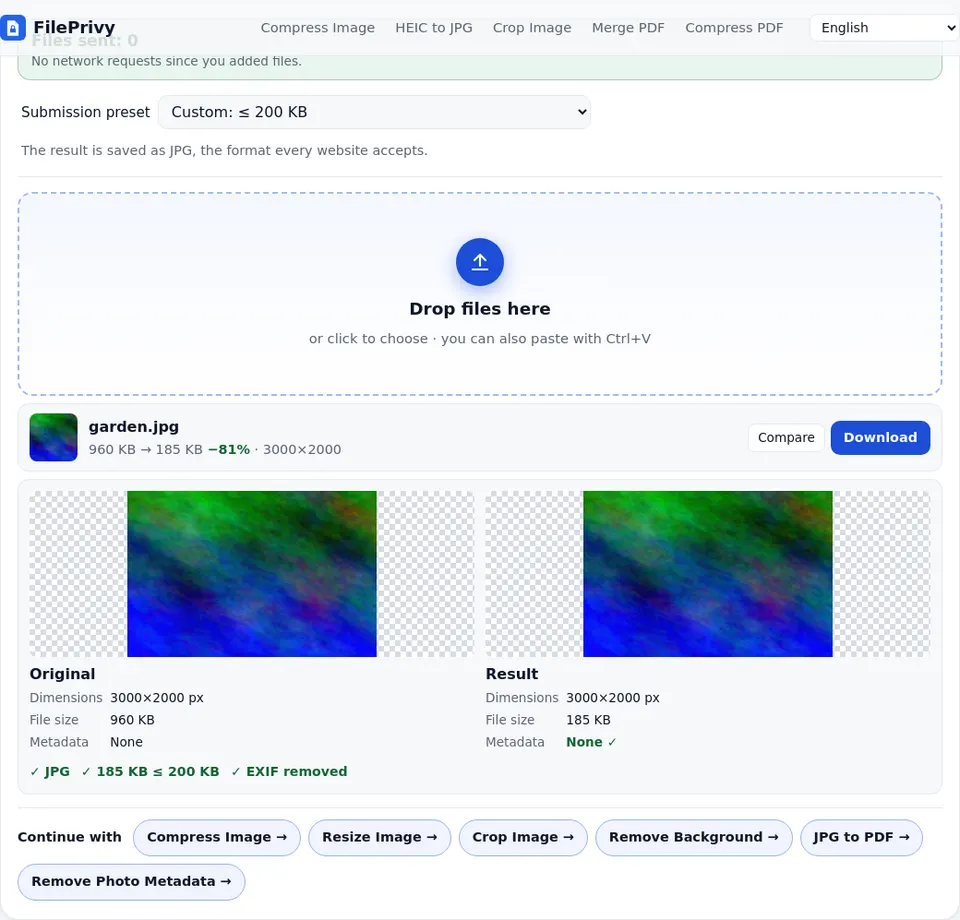
- Leave “Custom: ≤ 200 KB” for the largest image that fits, or choose the Q-Net preset (354×472).
- Add one photo or a batch.
- Compare pixels, KB and EXIF in the result card, then save.
About this tool
Twice the budget of a 100 KB form means a noticeably sharper result: in our tests the same camera photo kept 2621 px of width instead of 1678. The search is the same – highest JPEG quality first, smaller dimensions only when needed – and small images that already fit are re-saved at high quality rather than degraded.
Typical 200 KB upload problems
- Exam portals with JPG-only rules – Korea’s Q-Net registers JPG/JPEG photos of 200 KB or less and asks for at least 300×400 pixels.
- Photographed prints – A printed photo shot on a desk produces a huge, skewed file; Q-Net tells applicants to edit such files before registering.
- Screenshots in PNG – PNG screenshots are often several hundred KB; saved as JPG they drop well below 200 KB.
Real results from this page
- Camera JPEG 10109×4542, 14.00 MB → 2621×1178, 194 KB.
- Q-Net preset: 5000×2247 JPEG, 5.83 MB → 354×472, 88 KB, EXIF removed.
- PNG 800×600, 219 KB → JPG 81 KB, same size.
Frequently asked questions
My HEIC is only 287 KB – will it be ruined?
No. A 1440×960 HEIC of 287 KB became a 193 KB JPG at the same 1440×960 size.
Which preset should I use for Q-Net?
Q-Net exam application (354×472, ≤200 KB). It meets the 200 KB limit and the 300×400 minimum.
Is anything uploaded?
No. Watch the “Files sent” counter at the top of the tool while it works.
Related guides
Related tools
Compress to 100 KB
For forms that print “max 100 KB” next to the upload button.
Resize Image
Make pictures the size a website, marketplace or slide actually needs.
Crop Image
Cut away what you do not want, or frame a photo for a square post, a 4:5 feed image or a 16:9 thumbnail – with the pixel size shown as you drag.
JPG to PDF
Turn photos of receipts, IDs, homework or a whole album into a single PDF.
Remove Photo Metadata
A photo file can carry where and when it was taken and on which device.
Compress Image
Make photos lighter without making them smaller on screen.